
How /teach turns "I want to learn" into a mission
Originally published in Spanish.
Sections
This is a machine translation that I reviewed. Read the Spanish original.
You can use it for anything
/teach is a skill by Matt Pocock. Here is the original skill on AI Hero: https://www.aihero.dev/skills-teach. You can use it to learn lots of things. I've used it to learn: Ukrainian (38 lessons), LeetCode (24) and AI Engineering (14).
In this article I show how /teach turns three questions into a mission, and what a course made with it looks like on the inside. I assume you already use Claude Code or Codex. You don't need to know Python.
Now I'm going to show you a from-scratch Python course made by /teach, which is an example of what /teach could do to teach you, in this case, how to program, but you can use it for anything.
The mission first
When I started the course, /teach asked me 3 questions (translated from Spanish). I answered them the way a beginner would, not with my real experience:
- "What do you want to learn Python for? That is, what do you want to be able to do once you know it?" → Automate tasks.
- "How much time can you give it, and what is your previous programming experience?" → Zero experience, ~30 min/day.
- "What is the first concrete task you'd like to automate with Python?" → Web.
With that, /teach wrote the mission: automate web tasks, with about 30 minutes a day, starting from zero.
The idea of the questions is that the skill knows how to aim at what you need. And this is a big advantage over learning only from books. It's not that I'm against books, by the way; it's that this way you jump to the most important thing first. So, if for example you have to learn a technology in 48 hours, at least at a basic level, /teach can give you the basics first. And once those 48 hours have passed, it can start giving you the more detailed stuff.
What /teach does next
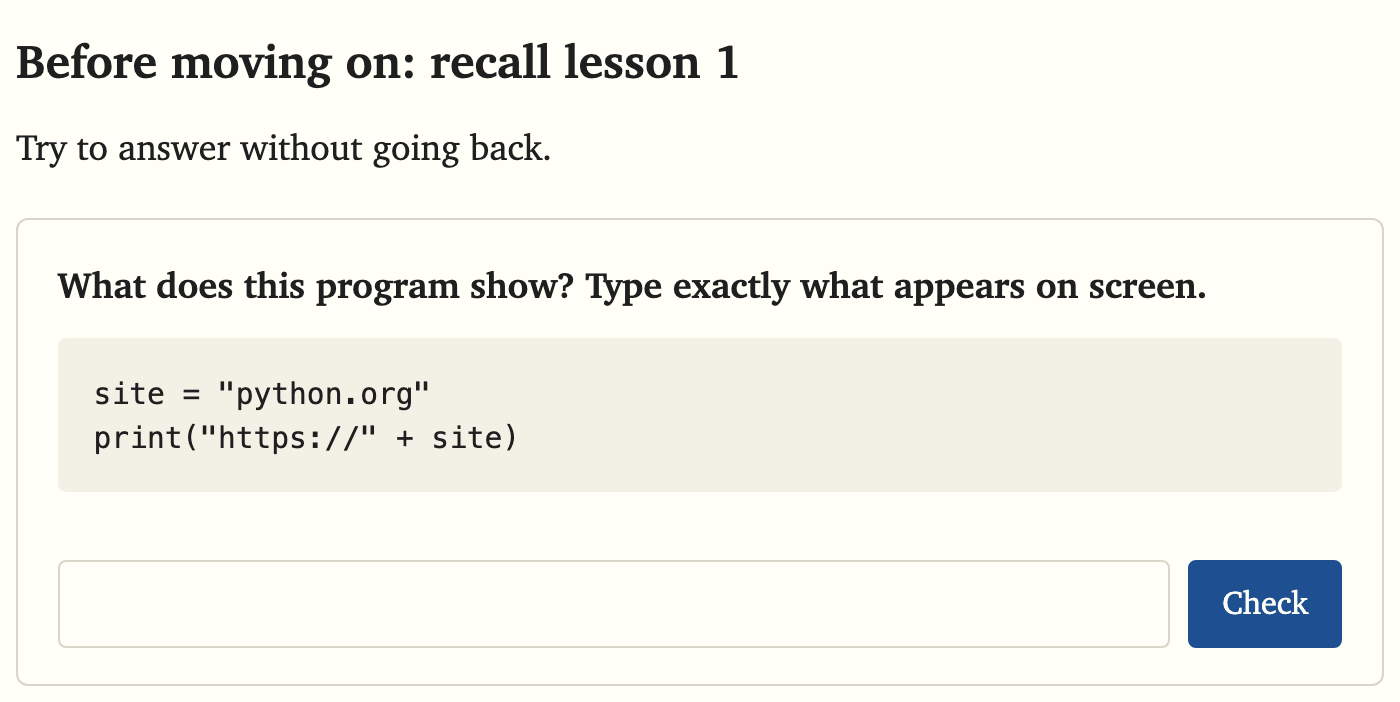
Another thing I always see in /teach is that, in general, each lesson teaches a single idea, and you're going to walk away with that key idea. For example, in LeetCode one lesson taught me a single idea: hash maps. In the Python course, the first lesson is writing a "Hello world". Also, /teach shows me the sources in case I want to read more in depth, and a recall block with things from the previous lesson, to build my fluency.
What it looks like on the inside
This is what /teach leaves in the course folder. That's why I can pick up another day where I left off.
minicurso-python-teach/
├── assets/
│   ├── quiz.js
│   └── style.css
├── learning-records/
│   └── 0001-punto-de-partida.md
├── lessons/
│   ├── 0001-tu-primer-script.html
│   └── 0002-preguntar-y-convertir.html
├── reference/
│   └── python-basicos.html
├── MISSION.md
├── NOTES.md
└── RESOURCES.md
If you want to know more about learning records (the learning-records/ folder), I explain them in detail in my longer article on how I learn with AI without starting from scratch.
This is how lesson 2 opens: it asks me to recall lesson 1 before moving on.
The mini-course and its honest limit
The mini-course is an example so you can see what a real /teach course is like, in this case for Python. The limit is that this is the beginning of a path of about 10 lessons and I haven't yet gotten to automating the web task the course ends with. How do you study? The lessons come with practice, they're not just a document to read. And in this case they're designed for someone who uses macOS, but /teach, depending on what you use, adapts the lessons to you. Remember it's just an example. I'm leaving you the link to the mini-course so you can look at it at your own pace: https://asdrubalivan.com/minicurso-python/